
Shutdown Screensaver 2.1
 Shutdown Screensaver allows you to shut down, hibernate, standby, restart, log off or lock workstation after certain period of user inactivity. It will display number of seconds left to shut down, allowing users to terminate the countdown at any time by simply deactivating the screensaver.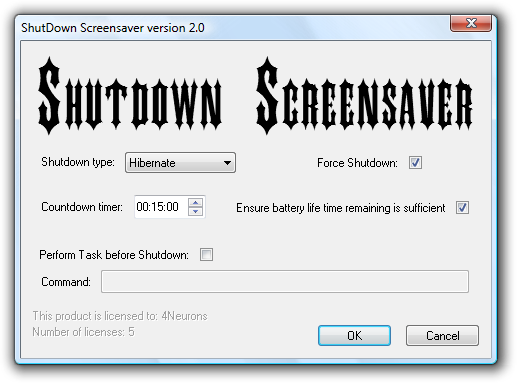
Features:
- Six different types of shut down (shutdown, hibernate, standby, restart, log off, lock station)
- Ability to run Shutdown Screensaver as logon screensaver
- Adapting the countdown time to computer's battery status (great for portable computers)
- Ability to execute and complete a task job before the shut down
- Works with Windows 7, Windows 8, Windows 8.1 and Windows 10
Download installer (recommended for normal users for installing on single computers):
It allows for 60 days of free "try before you buy" use.
Download Administrator Deployment Pack (allows for manual and/or batch install):
Essential for deploying on large number of computers.
Essential for deploying on large number of computers.
If you plan to purchase larger number of licenses,
don't forget to check our volume discounts offer.
don't forget to check our volume discounts offer.
